
F-12-123 Review Client Snapshot
🎯 PURPOSE
The Client Snapshot in PointCare is a collection of client information from various areas of the application. It provides a summary view of the information, eliminating the need to access multiple areas of the application to build a picture of the client’s status.
Clinicians are required/prompted to review the Client Snapshot in PointCare before starting a visit. It can also be viewed from the medical record or associated to the visit encounter within the rolling calendar.
Information/links in the Client Snapshot include client demographics, Patient Snapshot notes and PointCare Visit Alerts, episode information (including SOC date and recert due date), Diagnosis History, Medications, Allergies, and links to other relevant parts of the medical record.
🔄 PROCESS
-
Select Client Snapshot:

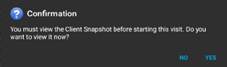
NOTE: Clinicians are required to review the Client Snapshot before they start the visit.
-
Select YES to view the Client Snapshot:
- Review key information within the snapshot:
-
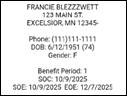
Demographic information, including SOC date and EOE (Recert Due) date:
-
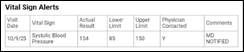
Vital Sign Alerts from previous visits:
-
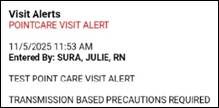
PointCare Visit Alerts: Refer to F-12-124 PointCare Visit Alert for additional information.
-
Client Goals:

-
Diagnosis History:

-
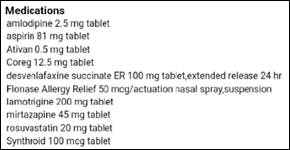
Medication List: view within the client snapshot only shows the medications the client is taking. It does not show the dose, route or frequency.
-
Allergies:

-
Religion:

-
- Utilize shortcuts to link to other parts of the medical record:
-
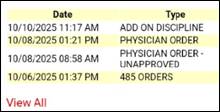
Order History: Refer to F-12-122 View Order History for additional details.
-
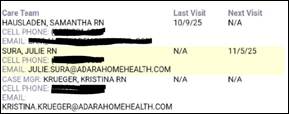
Case Manager/Care Team:
-
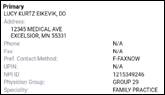
Physician Information:
-
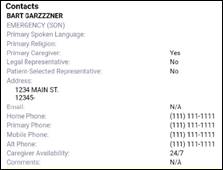
Client Contacts:
-
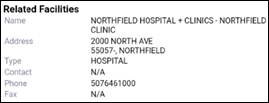
Related Facilities:
-
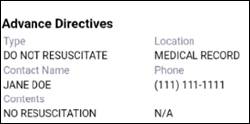
Advance Directives:
-
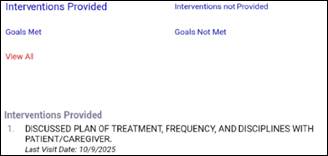
Interventions and Goal History:
-
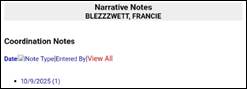
Narrative Notes:
-
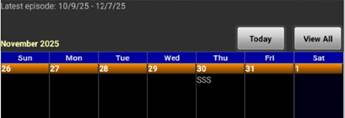
Current Calendar: Refer to F-12-126 View Client Calendar for additional details
-
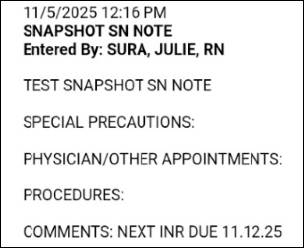
- Review Patient Snapshot Notes (if applicable). Refer to F-12-125 Snapshot Note for additional information.
-
Select Need to Know:

-
Review Snapshot Note:
-
Select Reviewed:

-


📅 Effective: 11.05.2025 | 🛠️ Revised: 10.27.2026 | ✅ Approved: JS