
F-12-122 Reschedule Visit - Unlicensed Staff
👤 ROLE
Unlicensed Field Staff (Home Health Aide or Homemaker)
🎯 PURPOSE
An unlicensed staff member (Home Health Aide or Homemaker) completes this process when directed by the office to remove the visit from their tablet after an attempted visit occurs. Reference F-12-121 Attempted Visits – Unlicensed Staff.
🔄 PROCESS
- In PointCare, select the assigned visit which needs to be rescheduled. The following options will appear depending on the status of the visit:
-
If the visit is in Accepted status:
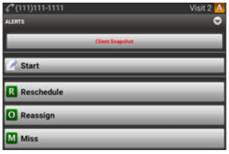
-
If the visit is in Pending status for the current day:
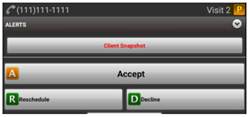
-
- Select Reschedule, which will prompt the worker to move the service code to a different date within the current week.
-
Select Choose Date and select any date from the drop-down. The office will review the visit and will either reschedule the visit or mark it as missed as appropriate.
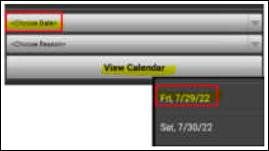
-
Select Choose Reason to enter the reason for the rescheduled visit.
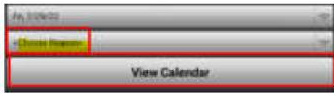
-
Select the best applicable reason from the options in the dropdown.
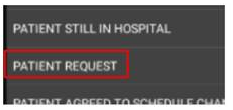
- Select SAVE to save the reschedule request.
- Once this is completed, sync Pointcare on your tablet and your schedule will be updated accordingly.
📅 Effective: 08.19.2026 | 🛠️ Revised: N/A | ✅ Approved: JFJ