
O-12-101 Initiate an External Fax Communication/Order Request
🎯 Purpose
To describe the process a field clinician will use when initiating an external fax communication in PointCare. Communication to the provider will occur when the coordination note is entered by the field user and faxed by the back office staff.
A provider may be contacted by phone for an order request by personnel authorized to do so (i.e. registered nurse or qualified therapist) by applicable State and Federal Law and regulations. If a response back is received, accepting the order during the call or following the call, the authorized clinician will enter a verbal order, upon receiving the response, into the electronic medical record.
However, in situations where a response is not received for acceptance of the order this does not constitute an order and the clinician may use this external fax communication to initiate an order request to the provider.
Clinicians may also initiate external order requests via fax per provider preference or if deemed non urgent based on professional clinical judgment.
⚠️ Note: An order request is not a verbal order and should not be entered into the EMR as such. It must be managed externally until a signed order or approval is received.
🔄 Process
Refer to O-12-823 Create Coordination Notes in PointCare for detailed steps on creating coordination notes.
-
Select External Fax Communication Coordination Note

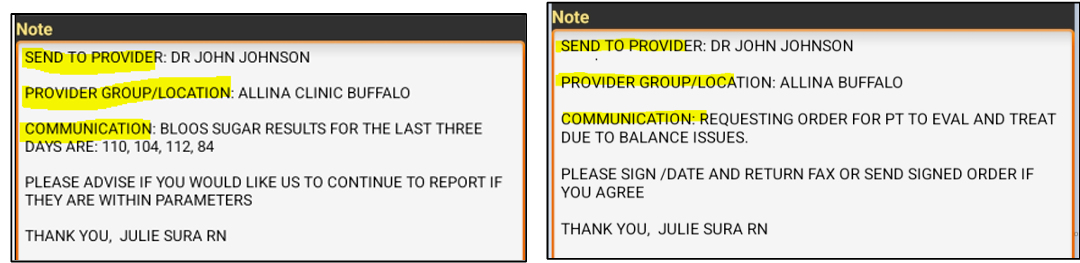
- In the Note Details, complete the template with description of the fax communication:
- Send to Provider: List provider name who fax needs to be sent to
- Provider Group/Location: Indicate where provider is located
- Communication: Include message to provider such as a summary, notification, and/or order request. If sending external order request, indicate when approved order/response must be received back.
- Example: Requesting order for PT to Eval/Treat
- Example: Notification of vital sign results
- Example: Notification of fall without injury
-
Example: Summary of case conference
- Clinician may also add to the template to request the office to print and send additional information when sending to the provider. Clinician must add “Included:” and indicate specific items to send from the list below:
- Medication List
- Visit Note(s)
- Vital Signs Report
-
Select Menu:

-
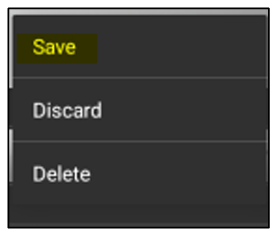
Select Save:
- Coordination note will sync back to the office when visit note or device is synced. Back office staff will fax to provider listed.
📅 Effective: 05/01/2025 | 🛠️ Revised: 06/10/2025 | ✅ Approved by: JS