
F-9-402 Complete Electronic Forms/Templates
🎯 Purpose
Clinicians will utilize electronic forms in Mosai to complete electronic versions of Adara paperwork to complete on the PointCare device and upload directly to the office. Electronic Forms are built out in Mosai and referred to as “Document Templates”.
🔄 Process
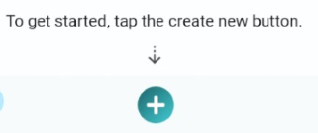
1. Select the plus icon to create new:
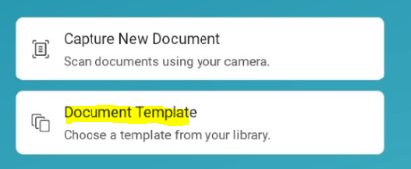
2. Select Document Template:
3. Select appropriate template to complete:
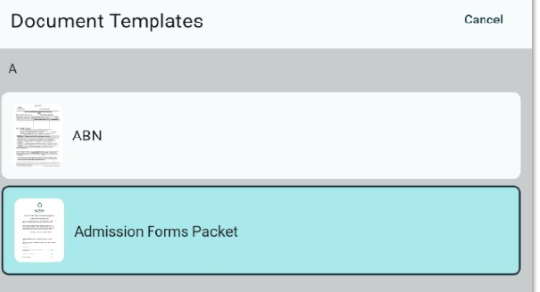
⚠️NOTE: “Admission Forms Packet” includes all required paperwork needed for SOC
4. Select Continue:
5. Select appropriate branch and patient, then select Create:
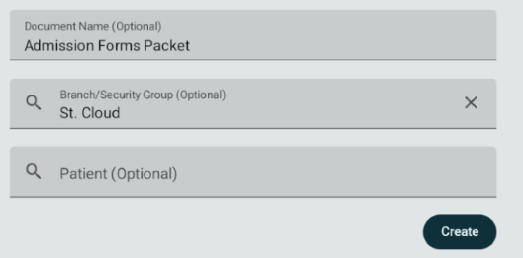
⚠️NOTE: Type the client’s full last name and select from the list. If this step is skipped, the client’s name and Date of Birth will not pull forward into the electronic forms and will need to be added manually onto all forms or start the process over.
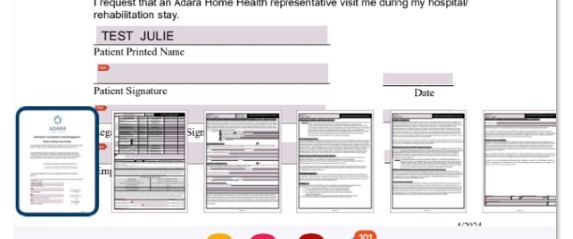
6. Complete all fillable fields as directed. Scroll up and down to move through different documents or use thumbnail images at the bottom of the screen:
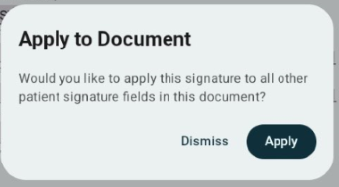
7. Signature fields for client and employee allow the user to apply the signature to all other fields within the document. Select Apply to apply the signature to all other forms. If Dismiss is selected, user and client will need to manually sign all pages.
8. Select Done when complete. Refer to F-9-401 Upload Documents to upload completed documents to the back office.

📅 Effective: 11.26.2025 | 🛠️ Revised: 08.04.2026 | ✅ Approved: JS, JFJ