
F-9-401 Upload Documents
🎯Purpose:
Outlines actions to take to upload completed mobile forms to the Back Office for review. Documents should be uploaded immediately upon completion.
🔄 Process:
- From the Home screen in Mosai Mobile, select Documents:
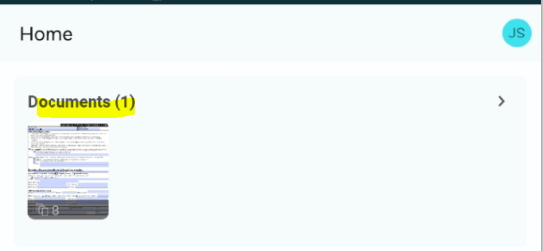
- Select Document(s) to upload:
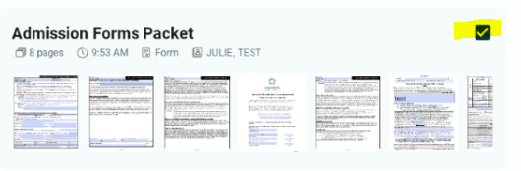
- Select Upload:

- Select appropriate shared folder (Mobile Uploads- Branch
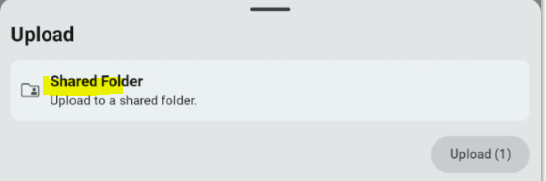
- Select Upload:
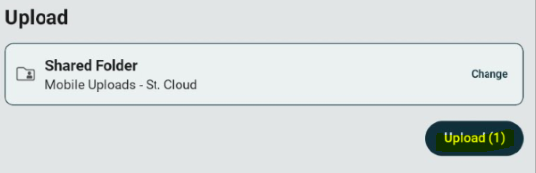
- All documents uploaded will route to Business Manager at the office for review and attachment to HCHB.
⚠️NOTE: Notify office if forms need to be sent to POA/Legal Representative.
📅 Effective: 11.26.2025 | 🛠️ Revised: 08.04.2026 | ✅ Approved: JS, JFJ