
F-12-204 Create Discharge Order in PointCare
🎯 PURPOSE
This process outlines the steps required for clinician to complete a discharge order in PointCare. It is to be used in conjunction with Policy A-3-520 Discharge Criteria and Process, Clinical Process O-13-007 Discharge from Agency, and/or Clinical Process O-13-009 Discipline Discharges.
🔄 PROCESS
Complete the appropriate Discharge from Agency (__18) or Discipline Discharge (__19) document as assigned first. Once the assessment has been completed, follow the steps below to create/complete the appropriate order.
-
From the rolling calendar, select the menu:
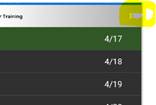
-
Select Medical Records:
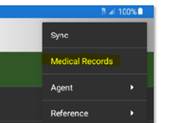
-
Select appropriate episode:

-
Scroll down to Features and select New Orders:
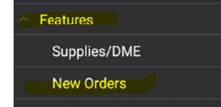
-
Select Add to add new order:

- Discharge From Agency Order: Complete a Discharge from Agency order notifying the provider of agency discharge.
-
Select Order Type: DISCHARGE FROM AGENCY
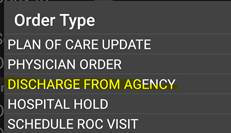
-
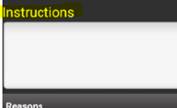
Use template below and add to Instructions section:
-
TEMPLATE
Discharge from Agency Summary:
S: Situation/reason for discharge:
B: Background/summary of care and services:
A: Summary of progress towards goals:
Functional ability at discharge:
R: Recommendations at discharge:
- Discipline Discharge Order: Complete a Discipline Discharge to send a summary to the provider including the reason for discharge. If indicated, address any un-met goals.
-
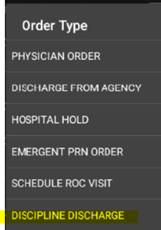
Select Order Type: DISCIPLINE DISCHARGE
-
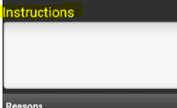
Within the order instructions, document a discipline discharge summary. Include the reason for discharge, address if any goals were not met and if service orders have not been provided as ordered.
-
- Save order and SYNC device.
📅 Effective: 10.27.2026 | 🛠️ Revised: N/A | ✅ Approved: JS