
O-12-940 PointCare Application Maintenance
🎯 Purpose
Outlines the different actions a PointCare user takes to maintain the PointCare application on their device.
🔄 Process
-
From the rolling calendar, select the menu:
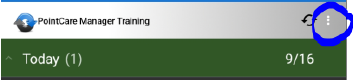
- Select "Maintenance", then select "Communications":

Sync:
Clinicians must sync their device to transfer and update information from the PointCare application to the back office. Clinicians must sync frequently throughout the day to maintain the most up-to-date patient records and schedules.
-
Select Sync from the Main menu, or Synchronize from the Maintenance/Communications menu:

NOTE: Sync may also be completed by pressing this icon on the rolling calendar

Selective Refresh:
Completed by clinicians on a regular (weekly/biweekly) and as needed to update tables used in the PointCare manager for clinical documentation and clinical source data. Examples include documentation or assessment updates, physician/facilities database, and coordination note types or templates. When assessment changes are made, clinicians may be prompted to complete a selective refresh by a specific date.
-
Select "Selective Refresh" from the Maintenance/Communications menu.
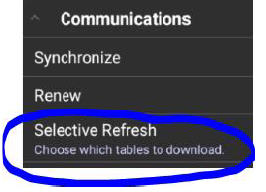
-
Select "Select All", then select "Select":

Renew:
Clinicians are prompted to perform a renew the first time they connect to the database. They may also complete a renew if directed by their supervisor, however, it is VERY important that the clinician confirms that documentation is COMPLETE, all visits have been addressed, AND synced off of their device before completing the renew. Any visits that are remaining on the device at the time the Renew is completed will be lost.
-
Review rolling calendar for any outstanding visits. Complete any incomplete documentation and SYNC all completed visits back to the office before moving forward with RENEW.
NOTE: Very important to look in Overdue Visits. Any notes left in PointCare when renewing the database will be lost.

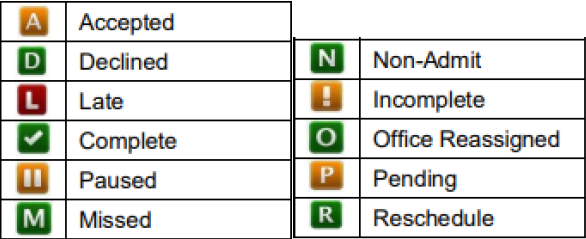
Visit Status Icons for reference:
-
From the Maintenance/Communications menu, select "Renew":
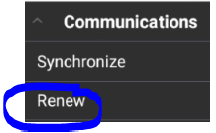
-
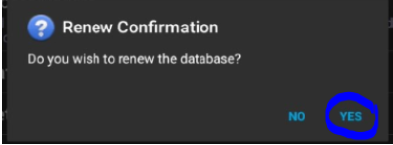
Clinician will receive a prompt to confirm the renew. Select Yes:
Diagnosis Update:
Clinicians will receive external communication from the Parent Location when Diagnosis Updates are required. These are typically required when CMS releases updates to the ICD10 dataset. Updates frequently occur on October 1st of each year, but may also occur at other times of the year as well.
-
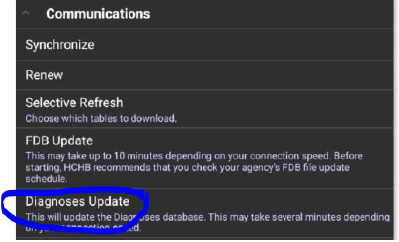
From the Maintenance/Communications menu, select "Diagnosis Update":
FDB Update:
FDB is the database that stores all of the medications that are available in PointCare. This is updated by HCHB when new medications are added to database. Clinicians must complete an FDB Update periodically to ensure that an appropriate list of medications are available for selection.
-
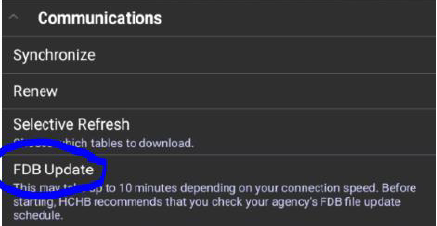
From the Maintenance/Communications menu, select "FDB Update":
-
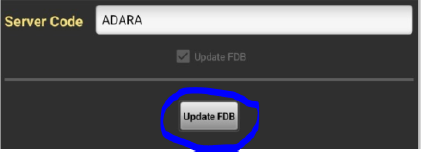
Server code will pre-populate. Select Update FDB:
-
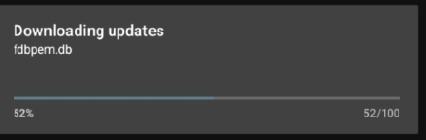
Clinician can see download progress:
-
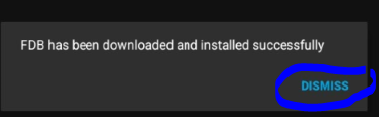
Select Dismiss when complete:
📅 Effective: 09/17/2024 | ✅ Approved by: JS