
O-12-810 Request to Send Client Information
🎯 Purpose
Clinicians may identify the need for the office to send out printed patient information during an episode of care. The Patient Instructions Report includes ordered services, a patient-friendly medication list and a patient-friendly treatment plan.
The Patient Instructions Report is mailed to each client following every SOC/RCT and ROC. However, clinicians may request an updated Patient Instructions Report or additional patient information as needed. For example, a clinician may request an updated patient-friendly medication list following significant changes to the patient's medication profile.
🔄 Process
- Clinician will create Coordination Note–REQUEST TO SEND CLIENT INFORMATION:
- Outside a Visit: Select Medical Record:
-
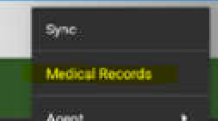
From Menu, select medical record:
-
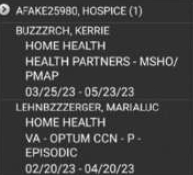
Select appropriate patient:
-
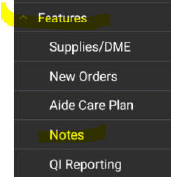
Scroll down to Features and select Notes:
-
- From within a visit:
-
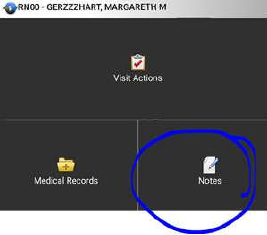
Visit Action Screen, select Notes:
-
-
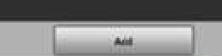
Select Add:
-
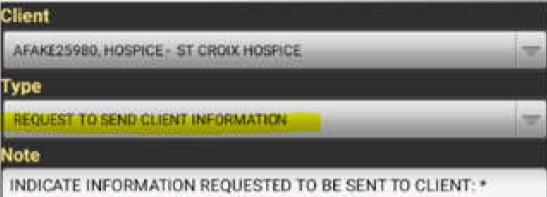
Select Note Type: REQUEST TO SEND CLIENT INFORMATION:
- Indicate which items from template clinician is requesting to be sent from the office:
-
Enter Y or N for each item:
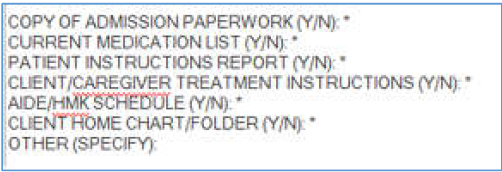
NOTE: If requesting the Client/Caregiver Treatment Instructions, the office will mail a blank copy to the client's home for the clinician to fill out the most up-to-date treatment plan at their next scheduled visit.
-
- Outside a Visit: Select Medical Record:
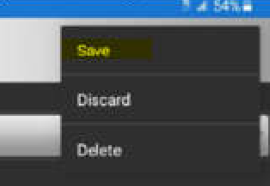
- Save and Sync.
-
NOTE: Coordination Notes entered from within a visit will not sync to the back office until the visit is completed and synced.
-
- Coordination Note will route to Administrative Specialist to print/mail requested patient information to client.
📅 Effective: 07/10/2024 | 🛠️ Revised: 09/23/2024 | ✅ Approved by: JS