
O-12-113 Attempted Visits–Licensed Staff
🎯 Purpose
To describe the process for documentation in PointCare when a clinician attempts to make a visit at the client's home but there is no answer and the visit is missed. Attempted visits involve travel to the client's home.
🔄 Process
Clinicians should continue to try to reschedule the visit for later in the week. If the clinician has made all attempts to reschedule the visit and it is the end of the week and ordered frequency is not met, also refer to O-12-112 Missed Visits for documentation of missed visits in PointCare.
Non-Visit Activity should be entered for all Attempted Visits that include travel to the client's home.
-
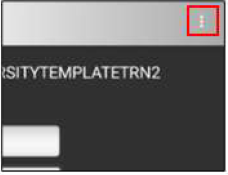
From the rolling calendar, select the menu:
-
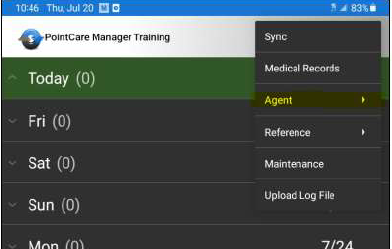
Select Agent:
-
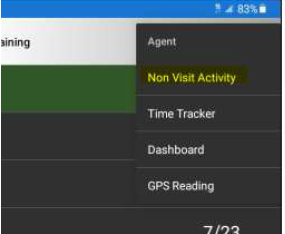
Select Non-Visit Activity:
-
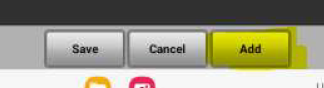
Select Add:
-
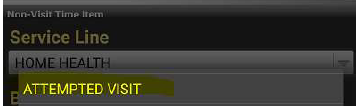
Select Attempted Visit:
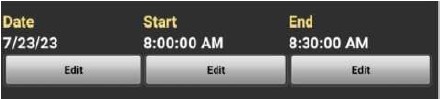
- Enter Date, Start Time, and End Time:
-
Time should include travel time to the client's home
-
-
Travel Info: Select "Edit" to add Client's Home as destination
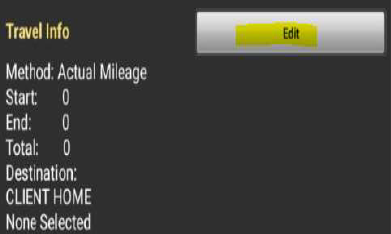
Destination: CLIENT HOME Destination: Select Client Home and Set Destination to select appropriate client:
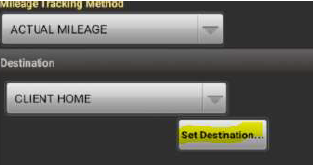
- Select "Clients with visits" to select from a list of assigned visits.
- Select "show all" and type last name in text box to pull from full client list
-
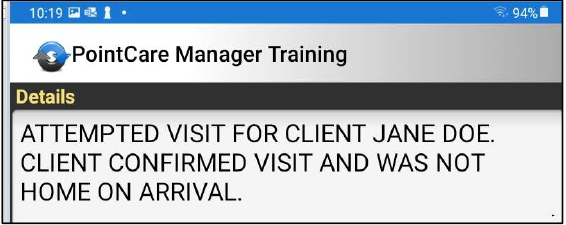
Enter Details:
-
Select Save:

- Sync the Non-Visit Activity back to the office.
📅 Effective: 02/07/2025 | 🔍 Reviewed: 02/07/2025 | 🛠️ Revised: 02/07/2025
✅ Approved by: JS