
O-12-100 Physician Order Content
📚 Document Contents and Responsible Positions
- Wound Care Orders — PointCare User
- Medication Orders — PointCare User
- INR Orders — PointCare User
- General Orders — PointCare User
🎯 Purpose
To describe content that should be included within verbal physician orders when entered in the client's electronic medical record from a PointCare device.
💡 Note: Refer to A-4-170 Physician/Non-Physician Practitioner Orders for policy guidance and definitions related to physician orders
🚦 Process Overview
Clinician may create a new order from the medical record or from within a visit note in PointCare. Physician orders entered from within a visit will not sync to the back office until the associated visit is completed and synced. Physician orders entered from within the medical record will sync to the back office the next time the clinician syncs their PointCare device.
📝 All Physician Orders
Clinician must include a narrative indicating who gave the Verbal Order on all order types:
- Include narrative in Instructions of order
-
- Narrative should specify who clinician spoke to and received order from:
Verbal order received from ______, (title), on behalf of _______ Provider for ____________ (description of order).Verbal order received from , (title of provider), (description of order)_______________.

🧽 Wound Care Orders
- Enter New Physician Order
- Select “yes” for wound care order and enter detailed wound care information within the instructions section of the order.
-

- Point care users may use the following template to ensure all required components are included:
- Wound care for…(state site of wound and be specific to which wound)
- Cleanse with:
- Pat dry with:
- Prepare:
- Apply:
- Secure with:
- Change (frequency):
- Verbal order received from ____________, (title), on behalf of ___Provider.
- Example of a complete wound care order:
SKILLED NURSE TO CLEANSE WOUND TO RIGHT PLANTAR DIABETIC ULCER WITH WOUND CLEANSER. PREPARE PERI-WOUND AREA WITH SKIN PREP. FILL ENTIRE CAVITY WITH BLACK FOAM FOAM. APPLY TUBING AND COVER WITH TRANSPARENT DRAPE. APPLY NEGATIVE PRESSURE DEVICE AT 125 MMHG FOR CONTINUOUS HOURS. CHANGE DRESSING EVERY MONDAY, WEDNESDAY AND FRIDAY (CLIENT WILL GO TO FOOT AND ANKLE CLINIC ON MONDAYS FOR WOUND ASSESSMENT AND DRESSING CHANGES). MAY USE THE FOLLOWING PROTOCOL AS AN ALTERNATIVE DRESSING AS NEEDED: WET TO DRY DRESSING CHANGES VERBAL ORDER RECEIVED FROM JANE DOE, RN ON BEHALF OF DR. SMITH.
-
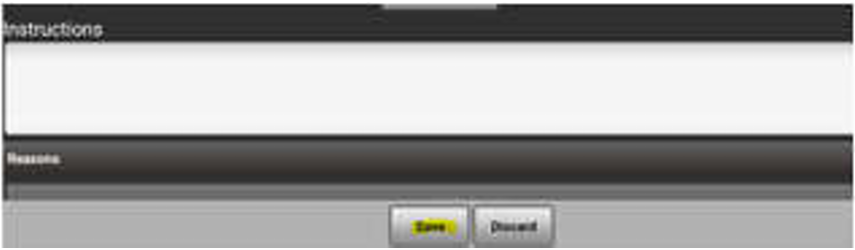
Once all information has been entered, save order.
💊 Medication Orders
- Enter Physician Order
- Enter detailed description of medication changes within the Instructions section:
DISCONTINUED [Medication Name] NEW [Medication Name and Dose] VERBAL OBTAINED FROM [Name], [Title] ON BEHALF OF [Provider]

- Point care users may use the following template to ensure all required components are included: Verbal order received from ____________, (title), on behalf of ___Provider for ______medication(s). Verbal order received from ______, (title of provider), (description of medication order)_____________________.
- Select reason “Add Medications” and make all medication changes indicated.
- When all changes are complete, save order.
🩸 INR Orders
- Enter New Physician Order
- Enter detailed instructions that include current INR results, medication changes, recheck date, and who the verbal order was obtained from under the instructions section of the order.

- Point care users may use the following template to ensure all required components are included:
INR= XXX (result)
Verbal order received from ___________, anticoagulation RN, on behalf of ___Provider___ for Warfarin __mg _______dose_______. Skilled nurse to recheck INR on __date_____.
- Select any reasons associated with the order, these may include; medication or calendar changes.
- When all changes are complete, save order.
📦 General Orders
- Enter new order
- Enter detailed instructions regarding order within the instructions section of the order

- Point care users may use the following template to ensure all required components are included:
- Verbal order received from ______, (title), on behalf of _______ Provider for ____________ (description of order)
- Verbal order received from ______, (title of provider), (description of order)_____________________.
- Add any reasons applicable to the order:
- Add Medications
- Add Calendar
- Add Vital Sign Parameters
- Add Supplies
- When all changes are complete, save order.
📅 Effective: 05/31/2024 | 🛠️ Revised: 06/11/2024 | ✅ Approved by: RE