
F-9-400 Mosai Mobile Log-In
🎯 Purpose
Mosai Mobile is an application installed on the PointCare device that is used to complete electronic versions of Adara paperwork and directly upload them to the office. Mosai Log-In information is generated by the office and clinician will receive an e-mail with log-in and password update instructions.
🔄 Process
-
Select Mosai icon to login:

-
Select Get Started:

-
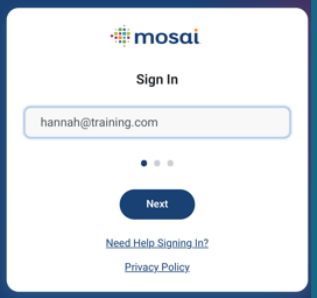
Enter username (email) and select Next:
-
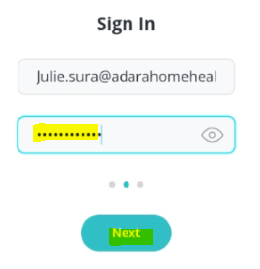
Enter password and select Next:
-
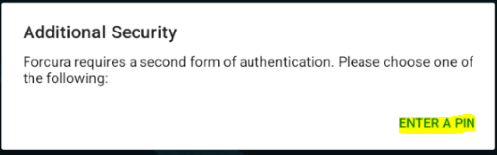
Select Enter a Pin:
-
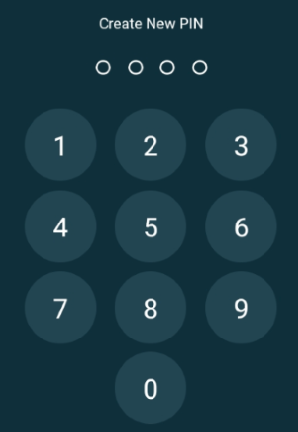
Create 4 digit pin and re-enter when prompted:
-
User is signed into Mosai:
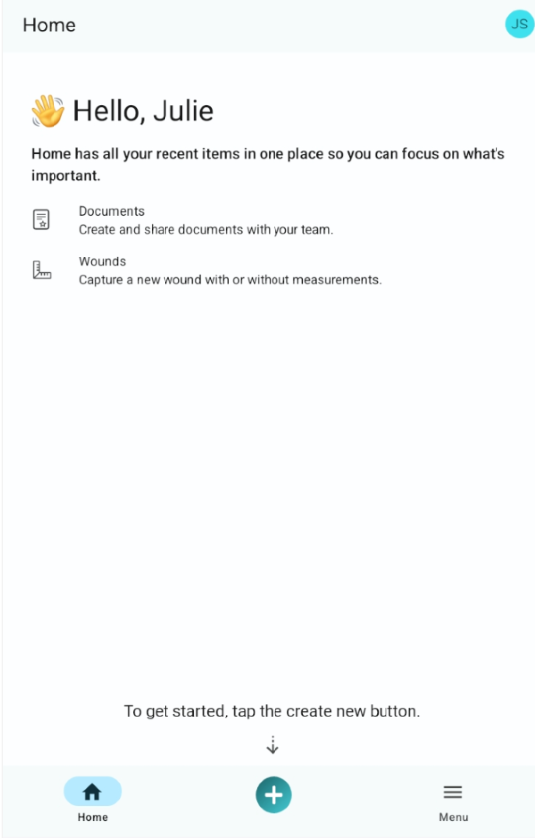
- Once logged in, user will be prompted to use PIN on subsequent log-ins.
📅 Effective: 11.25.2025 | 🛠️ Revised: 08.04.2026 | ✅ Approved: JS, JFJ